
When a deadline keeps you at a desk for hours, a useful break can be as simple as standing up, letting your arms hang, and walking to refill a glass of water. You do not need a full exercise routine every time you pause. A change of position interrupts the long, nearly motionless stretches that can leave your neck, shoulders, hips, and legs feeling stiff.
The best stretch break is one you can repeat in the space you have. The movements below need little equipment, and most can be done beside a chair. None calls for forcing a joint or working through pain.
What a desk break can—and cannot—do
Desk work often keeps your hands forward, your eyes on a screen, and your hips and knees bent. No single posture is automatically harmful; the more practical concern is staying in almost any position for a long time without much variation. A short break gives your muscles and joints something different to do, even if you return to the same desk afterward.
Gentle stretching may ease a feeling of tightness and help you notice where you hold tension. Standing and walking add movement that a seated stretch cannot. Neither replaces regular physical activity, appropriate medical care, or a workstation that lets you work without repeatedly straining to see or reach. If your keyboard sits too far away, stretching your shoulders will not fix the need to reach forward all day.
Stay within a comfortable range of motion, and move slowly enough to stop if something feels wrong. A mild pulling sensation can be normal. Sharp pain, tingling, dizziness, or worsening symptoms are reasons to stop. If you are recovering from an injury or surgery, or have a condition that limits movement, ask for advice specific to your situation before trying unfamiliar stretches.
Build breaks into the workday without making them another task
No single break interval suits every job. When work permits, try changing position roughly every 30 to 60 minutes, with a slightly longer movement break after an extended spell of sitting. You might stand during a phone call, walk to the printer, or do two gentle stretches before returning to a drawing, report, or meeting. Treat the interval as a prompt, not a timer you must obey precisely.
Transitions can be easier to remember than alarms: stand after sending a batch of emails, between project meetings, or while a large file opens. In a shared office, a discreet shoulder release or short walk may be more practical than a floor-based routine. Set a reminder if it helps; one you repeatedly dismiss is doing little for you.
Clear a little space around your chair first. If you use it for balance, make sure its wheels will not roll. Avoid leaning on a movable monitor arm or lightweight desk accessory, and keep your shoes on if the floor is slippery. Your break should not create a trip hazard for you or someone passing behind your workstation.
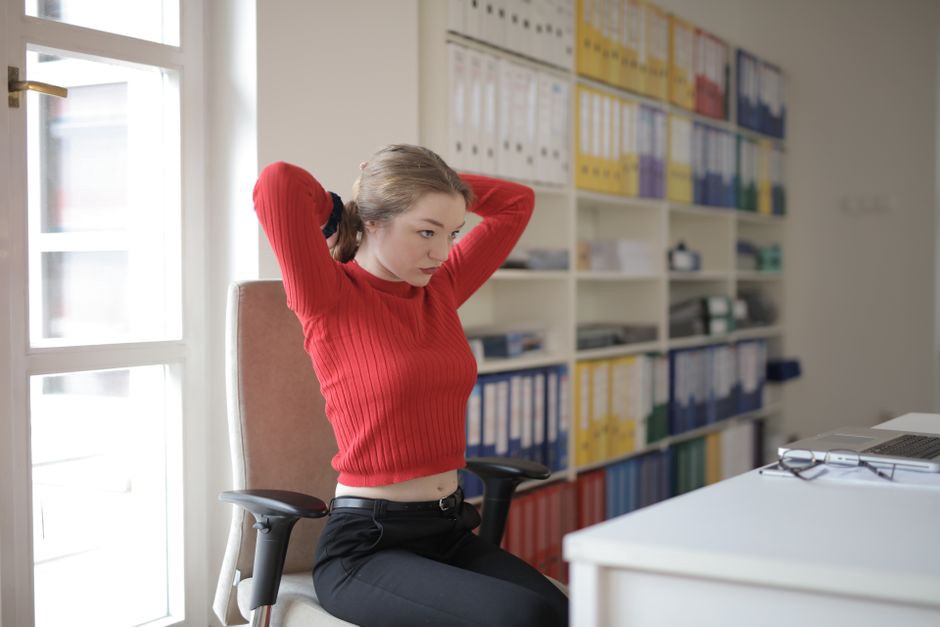
A short sequence for the neck and upper body
This sequence takes about three minutes. Breathe normally and give each side comparable attention. Skip any position that feels uncomfortable rather than trying to make it work.
1. Shoulder rolls and a relaxed reset
Sit or stand with your arms at your sides. Lift your shoulders gently toward your ears, roll them backward, and let them drop. Repeat three to five times, then change direction. Keep the circles small enough that you do not arch your back to complete them. Finish by letting your shoulders settle naturally; you do not need to pin them down and back while you work.
2. Gentle neck side bend
Face forward with your chin level. Slowly tilt one ear toward the shoulder on the same side, stopping at a light stretch along the opposite side of your neck. Hold for about 10 to 20 seconds without pulling on your head, then return to center and repeat on the other side. Let both shoulders relax. If tilting your head brings on dizziness or symptoms down an arm, leave this movement out.
3. Upper-back reach
Extend both arms in front of you at a comfortable height and reach forward gently, letting the area between your shoulder blades spread. You can clasp your hands lightly, but do not lock your elbows or push your shoulders hard toward the screen. Hold for a few easy breaths, then lower your arms. It offers a change from mouse and keyboard work without demanding a large range of motion.
4. Chest opening at the doorway
At a clear doorway, rest one forearm lightly against the frame, with your elbow below shoulder height. Take a small step through until you feel a mild stretch across the front of your chest. Hold briefly, then switch sides. Skip it if it causes shoulder pain. Another option is to stand with your arms at your sides, turn your palms gently forward, and take a few breaths. There is no need to force your arms behind you.
Give the hands and forearms a change of task
Typing and mouse use involve many small, repeated movements. For a quick hand break, open and close your fingers several times, then gently shake out your hands at your sides. To stretch a forearm, extend one arm forward with the elbow comfortably straight and the palm down. Use your other hand to guide the fingers slightly downward until you feel a mild pull along the top of the forearm. Hold for 10 to 15 seconds, release, and switch arms. You can also turn the palm up and gently draw the fingers back to stretch the other side.
Keep the pressure light. Pushing hard on the wrist or holding a position that causes numbness will not help. If symptoms keep returning—especially tingling, loss of grip strength, or pain that persists outside work—seek a clinical assessment rather than stretching through them. Look at the task, too: a mouse beyond comfortable reach or wrists resting against a hard edge may be worth addressing.
Stand up for the hips, legs, and back
Seated stretches have their place, but standing changes how your hips and legs are loaded. Walk for 30 seconds first, if space allows. Then choose one or two movements that suit your clothing, footwear, and surroundings.
Supported calf stretch
Face a wall or sturdy surface and place your hands against it for balance. Step one foot back, keeping its heel on the floor as you bend the front knee slightly. Point both feet forward and stop at a gentle stretch in the back calf. Hold for about 15 to 20 seconds, then change sides. Shorten your step if the stretch feels too strong; there is no benefit in forcing the heel down.
Standing hip-front stretch
Stand with one hand on a stable support. Step one foot a short distance back, bend the front knee slightly, and shift your weight forward just enough to feel a gentle stretch at the front of the rear hip. Keep your torso upright without exaggerating the arch in your lower back. Hold for a few breaths and switch sides. This is a modest stance, not a deep lunge. It can fit in a narrow office aisle once you have checked that the space is clear.
Seated figure-four option
If standing is not convenient, sit in a stable chair and place one ankle over the opposite knee, as long as it feels comfortable for both your hip and knee. Sit tall and lean forward slightly from the hips until you feel a gentle stretch in the buttock of the raised-leg side. Hold for 15 to 20 seconds, then switch legs. Do not press down on the raised knee. If it hurts your knee, keep both feet on the floor and take a short walk later instead.
For your back, stand with your hands on your hips and slowly turn your torso a small amount to each side. Let your feet move if needed rather than twisting against fixed knees. Some people prefer a brief walk to a spinal stretch, particularly after a long meeting. What matters is whether the movement feels comfortable and leaves you ready to move normally—not how far you can rotate.

Choose a routine that fits the available time
You do not need to complete every stretch on every break. Pick what fits the time you have:
- About one minute: Stand, walk a few steps, roll your shoulders, and open and close your hands.
- About three minutes: Add a gentle neck side bend and upper-back reach, then briefly stretch each calf or the front of each hip.
- About five minutes: Walk farther, include one upper-body and one lower-body stretch, and look away from the screen before sitting down.
Hold times are guides, not targets to beat. A few unhurried breaths may be enough, especially if the alternative is skipping the break. Save any movement that requires changing clothes, shifting furniture, or taking up a busy circulation area for another time. On most desk days, small changes you actually make are more practical than an elaborate session that never happens.
Adjust the surroundings so breaks are possible
Workspace layout can make movement breaks easier or harder to take safely. A clear route to the door, water point, or shared printer gives you a reason to walk; boxes and cables in the way do the opposite. Leave enough clearance to pull your chair back without striking storage or a colleague. In a shared workplace, circulation routes and accessible paths must remain clear when someone steps away from a desk to stretch.
Daylight, a view away from the screen, and a comfortable place to stand can make a pause more pleasant, but you do not need a particular office feature to start. In a compact home workspace, you might walk to another room. In an open-plan office, you might stand at your desk and keep the movements within your own space.
A movement break and a workstation adjustment solve different problems. If you repeatedly crane your neck to read a low laptop screen or raise your shoulders to use a high keyboard, stretching may offer temporary relief without changing what causes the strain. Screen position, input devices, lighting, or reach distance may need attention as well. Notice which task brings the discomfort back before deciding you need to stretch harder.
Know when to skip a stretch and get advice
Do not stretch into sharp pain or try to overcome symptoms by using more force. Stop if a movement causes dizziness, numbness, tingling, or pain that spreads down an arm or leg. New weakness, symptoms after an injury, or persistent pain warrant assessment by a qualified health professional. If you have been given movement restrictions, follow those rather than a general desk routine.
When you are sore or fatigued, changing position may be enough. Stand slowly, take a few steps, and see how you feel before adding a stretch. After a long video meeting, that might mean walking to refill your water, resting your eyes on something across the room, and rolling your shoulders three times before opening the next file.