
A rendering shows a tree-lined courtyard, but the planting plan has yet to be approved. Without a qualification, viewers may reasonably assume the courtyard is part of the committed project. The question is not whether the image looks appealing. It is whether it distinguishes what has been designed from what remains under review—and what the client can reasonably expect.
For architecture practices, developers and property owners, visuals communicate things words alone often cannot. Plans explain spatial relationships; photographs show built conditions; diagrams clarify technical decisions; renderings help people picture a proposal. But each offers a different kind of evidence. Used carefully, they make a complex project easier to assess without turning an early idea into an implied promise.
Visuals do more than establish a recognizable style
Colors, typography and polished project photographs can make a practice recognizable. More important is a consistent way of explaining design decisions. A public client may need to understand access and maintenance; an investor, usable area and delivery risk; a future occupant, daylight, entrances and shared spaces. One attractive exterior view cannot answer all three.
That consistency goes beyond a shared graphic template. Labels, drawing conventions and standards of evidence should hold across channels. If a planning presentation shows the existing site boundary, a later public-facing diagram should not quietly crop out an inconvenient neighboring building. Detail can vary by audience; the underlying facts should not.
Visuals can also reveal how a team works. A sequence showing the brief, site constraints, design alternatives and selected approach tells a client more than a set of unannotated finished images. It shows how the team weighs trade-offs rather than asking the client to infer its methods from appearance.
Match the visual to the decision it supports
Before commissioning or publishing a graphic, decide what question it needs to answer. Photorealism costs time and money; sometimes a clear diagram is the better tool.
- Site plans and context maps locate access points, neighboring uses, landscape features and relevant boundaries. They explain how a building relates to its surroundings.
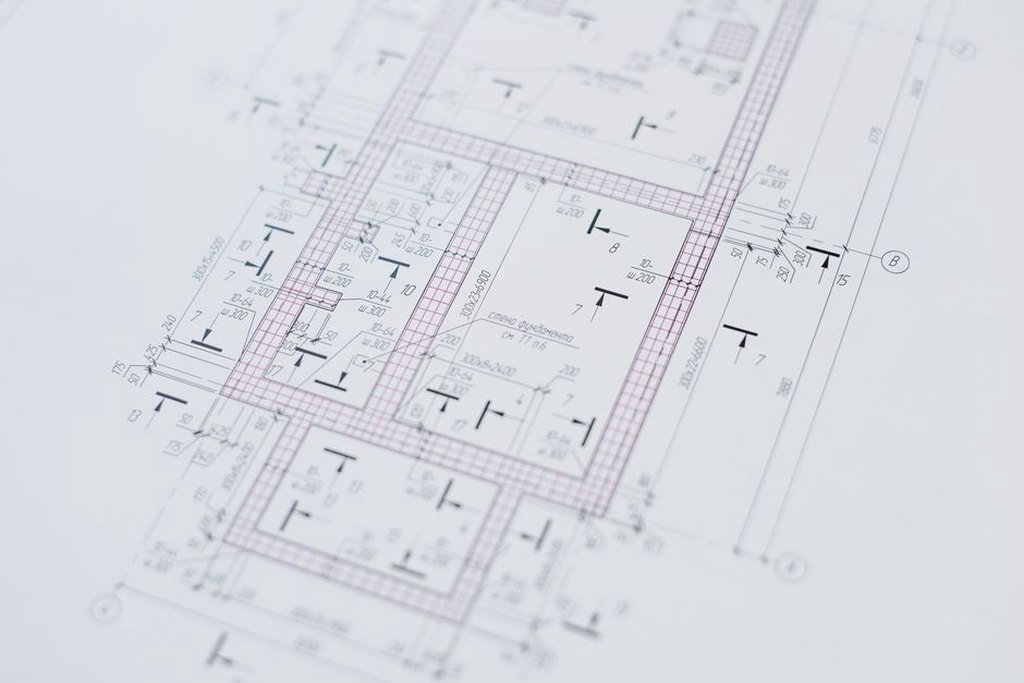
- Plans and sections show circulation, levels, areas and how spaces connect. For those purposes, they are more dependable than perspective views—provided scale and revision status are clear.
- Annotated diagrams focus on an issue such as pedestrian routes, servicing, daylight strategy or phased construction. They should identify assumptions that materially affect the conclusion.
- Renderings and physical or digital models convey intended experience and massing. They need careful labels: finishes, planting, furniture and surrounding activity can appear more settled than they are.
- Construction and completed-project photographs document conditions at a stated point in time. Camera position, lighting and cropping still affect what a viewer can judge.
For proposed ground-floor retail, a developer might pair a street-level rendering with a dimensioned plan. The rendering suggests how the frontage could feel; the plan locates entrances and shows approximate unit depths and service access. Neither replaces the other. If a lease or approval depends on dimensions, direct readers to the current controlled drawings rather than promotional graphics.
Show the project's status, not just its intended appearance
A project moves through feasibility, concept design, approvals, technical design, construction and occupation. Images can outlive the stage they depict. A dated concept rendering shared on social media may later be downloaded and presented as a current view of the approved scheme. That is a version-control problem as well as a communication problem.
Separate existing, proposed and illustrative information
An image should carry enough information to make its status clear even when it is separated from the surrounding text. Useful labels include “existing condition,” “concept option,” “submitted proposal,” “approved scheme” and “completed building.” Add the project name, issue date and revision where appropriate. An option no longer being pursued belongs outside current promotional material unless it is clearly marked as an earlier study.
Illustrative details need particular care. Mature trees, café seating or simplified neighboring buildings may make a rendering easier to read, but they can change the apparent shade, privacy or street activity. A short, specific note distinguishing indicative elements from the proposal tells viewers more than a blanket “artist's impression” disclaimer.
Make change legible
There is no need to hide design changes. A before-and-after comparison can explain why an entrance moved after an access review, why cost testing led to a different façade material, or how consultation affected a site layout. Keep the viewpoint and framing comparable where possible. A new camera angle can exaggerate a small revision or obscure a significant one.
This matters in public-sector and community consultation. People need to know what is open to feedback and what is constrained by the site, brief or regulations. A diagram separating fixed requirements from design options helps them respond to decisions that can realistically change.
Use visual hierarchy to explain technical trade-offs
A building project contains more information than one graphic can sensibly hold. Show everything and the result is clutter; strip out too much and the image may persuade without informing. Lead with the decision at hand, then place supporting detail nearby.
For a proposed medical building, one diagram might emphasize pedestrian arrival, step-free routes and the link between reception and clinical areas. Another can show deliveries, waste movement and staff access. Combining every route on one plan may make them hard to distinguish. Separate diagrams still need enough shared context—building outline, north direction and key entrances—to avoid confusion.
Annotations work harder when they explain consequences. “Covered entrance” names a feature; “covered route between drop-off and entrance” explains its purpose. Performance claims need firmer grounding. Calling a courtyard “comfortable year-round” implies an outcome that may depend on climate, wind studies, planting growth and building operation. Describe the design intention and the evidence available instead of guaranteeing comfort.
When comparing options, keep scales and legends consistent. A close-up of Option A beside a broad site view of Option B invites a judgment about presentation rather than design. Comparable diagrams let stakeholders assess the same criteria, such as access, area, construction impact, adaptability and maintenance needs.
Build credibility with evidence and appropriate restraint
A polished visual attracts attention; it does not prove a claim. A photograph shows that a school was built, not that learning outcomes improved. A daylight rendering illustrates intent, not the findings of a documented daylight assessment. Those distinctions should remain clear on project pages, in presentations and in public updates.
Pair visuals with specific, attributable facts. A construction photograph can accompany a description of the completed façade assembly based on that project's specification. A plan comparison can show a circulation change, with areas taken from the same drawing stage and measurement method. If measured operational data is unavailable, describe the strategy rather than claiming a measured saving.
Environmental imagery needs the same discipline. Lush planting should reflect a plausible landscape design and maintenance approach, not act as a generic shorthand for sustainability. If resilience is an objective, diagrams of drainage routes, shaded areas or recoverable ground-floor uses may explain the response more clearly. Distinguishing intended performance from tested recovery strategies is also central to planning buildings for climate-related failure and recovery.
Check publication rights, too. Confirm permission to use commissioned images, drawings and photographs, and check for restrictions set by clients or building operators. At occupied facilities, a photograph may reveal people, security arrangements or sensitive room uses. Technical accuracy alone does not make it suitable for publication.

Design for how people actually encounter visuals
A presentation slide, printed planning board and phone screen each impose different limits. Fine annotations legible on a full-size drawing can disappear in a social post. A wide exterior rendering may say little as a narrow thumbnail. Prepare versions for their intended use instead of repeatedly cropping one master image.
Keep essential information accessible
Do not rely on color alone. Label routes in a circulation diagram or distinguish them by line type as well as hue; that also helps when the image is printed in grayscale. Give informative published images concise alt text, and put essential measurements or qualifications in adjacent text rather than only in the artwork. A decorative view needs a different description from an annotated plan explaining an access change.
Test legibility at the size people will actually see. Small labels, low-contrast overlays and busy backgrounds can defeat an otherwise accurate graphic. At a public meeting, view a board from a realistic distance. On a website, check the mobile layout and displayed image size. If a detailed plan cannot remain readable, provide a clear overview and a larger version for close examination.
Preserve meaning when adapting content
Reusing a visual across a report, website and social feed saves work, but every crop changes what people see. Removing a concept rendering's caption may remove its only status label. Cropping a site photograph may hide the road that explains the building's setback. Keep approved captions and required qualifications with the image file so they survive adaptation.
Manage visual content as project information
Publication needs a clear approval route. Establish who checks factual accuracy, who authorizes release and who maintains current files. Marketing staff may manage layout and tone, but someone working from the latest project information should verify design status. A polished image is not necessarily ready to publish.
For each public-facing asset, keep a basic record of:
- The project and drawing or image title, date and revision.
- The design stage, including whether the view is existing, proposed, approved or completed.
- The source of figures or performance claims in the graphic.
- Required captions, qualifications, credits and usage permissions.
- The person responsible for checking the asset when the project changes.
This need not be elaborate. A shared asset register and consistent file names can stop an obsolete rendering being chosen simply because it looks finished. Review frequency should reflect the project: an active approval process may need frequent checks, while core photographs of a completed building may remain valid unless its use or surroundings change.
Judge visuals by whether people understand and can use them, not just by the attention they attract. In client presentations, note which diagrams prompt useful questions and which require repeated verbal explanation. On a project website, enquiries about dimensions already shown may mean a plan is hard to find or read. Page views and reactions do not, on their own, show that the message landed.
Before releasing a revised proposal, put the rendering beside the latest controlled plan. Check the entrances, building outline and landscape areas. If they differ, update the rendering or add a clear, specific qualification before it circulates.