
A developer looking for a feasibility study and a homeowner considering an extension need different first conversations. A generic “Send us a message” form leaves both guessing what to include—and whether the practice handles their kind of project. A useful contact page settles those questions before anyone schedules a call.
For an architecture practice or property business, it should make four things clear: who should get in touch, which contact route to use, what information helps at this stage, and what happens after submission. It need not demand a complete brief or suggest an outcome before the site, budget, and approvals have been examined.
Make the scope of enquiries clear
Begin with a short description of the work the team can discuss. Distinguish new buildings from alterations where relevant, and identify the building types and project stages covered. Geographic coverage matters: a client needs to know whether the team can work on a site where local permitting and professional registration requirements may apply. If projects outside the usual area are considered case by case, say that rather than giving a vague service radius.
Spell out the kind of help available, too. “Architectural design” might mean concept studies, planning submissions, technical documentation, tender support, or site-stage services. Those are different commitments. A short list helps an owner with an existing design ask for the right support, without leading a prospective client to think a feasibility conversation includes a permit-ready package.
The contact page does not need a full service catalogue. Visitors need to tell whether their enquiry is relevant and whom to approach. Separate routes may help with prospective projects, existing-project support, press requests, and recruitment—but only if someone monitors each one. Categories that all lead to an unstaffed inbox add friction without improving triage.
Offer contact methods with a purpose
Email lets clients describe an unusual project in their own words and keep a copy. A form can prompt for the details needed to direct an initial brief to the right team. A phone number may help a caller check whether an urgent site matter belongs with their existing project contact. No single method suits every enquiry; explain what each available option is for.
If you list a phone line, include business hours and the time zone. If you show an office address, distinguish a public meeting location from a registered or mailing address, and say whether visits are by appointment. A map pin should not suggest that clients can walk into a studio that is not staffed for visitors. Mention remote meetings if they are available, rather than leaving distant clients to infer that from the address.
Give every published channel an owner. An unattended inbox or phone number undermines confidence more than a smaller set of dependable options. Existing clients can be directed to their named project contact for contract-specific questions, while a general address remains available for new enquiries.

Ask for enough information, not a full design brief
An initial form needs enough detail to identify who should reply and what to clarify next. It need not ask everyone for room schedules, drawings, ownership records, or a confirmed construction budget. A public-sector procurement enquiry may arrive with formal documents; a homeowner may know only the location and the problem they want to solve.
Fields that support a useful first reply
- Name and reply address: needed for a response. A phone number can usually be optional unless the visitor requests a call.
- Project location: a city or general area is often enough to establish jurisdiction and travel implications. The full street address can wait if the visitor prefers not to share it yet.
- Project type and current stage: for example, a proposed new building, an adaptation of an existing property, early feasibility, or a project already in construction.
- Decision or concern: a free-text field lets a client explain whether they need to test capacity, plan approvals, control costs, or resolve an operational problem.
- Timing: an approximate decision date or known submission deadline tells the team more than an estimated construction start date.
Use plain labels and examples instead of internal shorthand. “What stage is the project at?” is easier for many clients to answer than “RIBA stage.” If a budget question is needed for early triage, say whether it means construction costs alone or a wider allowance that includes professional fees and other costs. Include “not yet established” as an option. A budget figure without a scope, location, and date cannot support a dependable fee or build-cost commitment.
If visitors can attach files, show accepted types and size limits before they submit. Keep attachments optional unless a particular enquiry route cannot work without them. Drawings can contain personal, security, or commercially sensitive information; there is little reason to request an entire document set just to arrange an introductory conversation.
Explain what happens after submission
The confirmation screen should say the enquiry was received, not imply that the project has been accepted. An automatic email can repeat the submitted reference or topic, give an expected response window, and offer another way to get in touch if no reply arrives. Keep sensitive details out of the subject line, and do not send a full attachment back to an address that may be shared.
Set response times the team can normally meet. “We aim to reply within two working days” helps only if staffing supports it; specify office days or the time zone when they may be unclear. If the practice screens enquiries before offering a consultation, explain that process. A first reply might request missing site information, say that a service is outside the practice’s scope, or suggest a short scoping call. An enquiry should not silently become a fee proposal.
For work involving permits or statutory review, distinguish an early discussion from a decision on approval. The relevant authority, project scope, and required evidence will affect the route. A first conversation can identify likely questions and help a client gather records, but it cannot confirm approval or replace advice on a specific site.
Make privacy and consent understandable
First messages may include property addresses, financial constraints, health-related needs, or confidential development plans. Ask only for information needed to handle the enquiry. A short notice beside the form should explain how those details will be used, who receives them within the organization, and where to find the full privacy information. Data-protection requirements depend on jurisdiction, so check the wording against the organization’s actual processes rather than copying a template.
Keep a request for a reply separate from consent to receive newsletters or other marketing messages. Someone asking about a building project has not necessarily asked for promotional email. If the form uses an anti-spam control, test that it remains usable with assistive technology and restrictive browsers.
Ask for documents only if the team can store and handle them appropriately. Highly confidential material may be better shared later through an agreed project channel, once the parties know why it is needed and who will receive it. The page can also ask visitors not to include sensitive personal records in an initial message.
Check the page as a client would use it
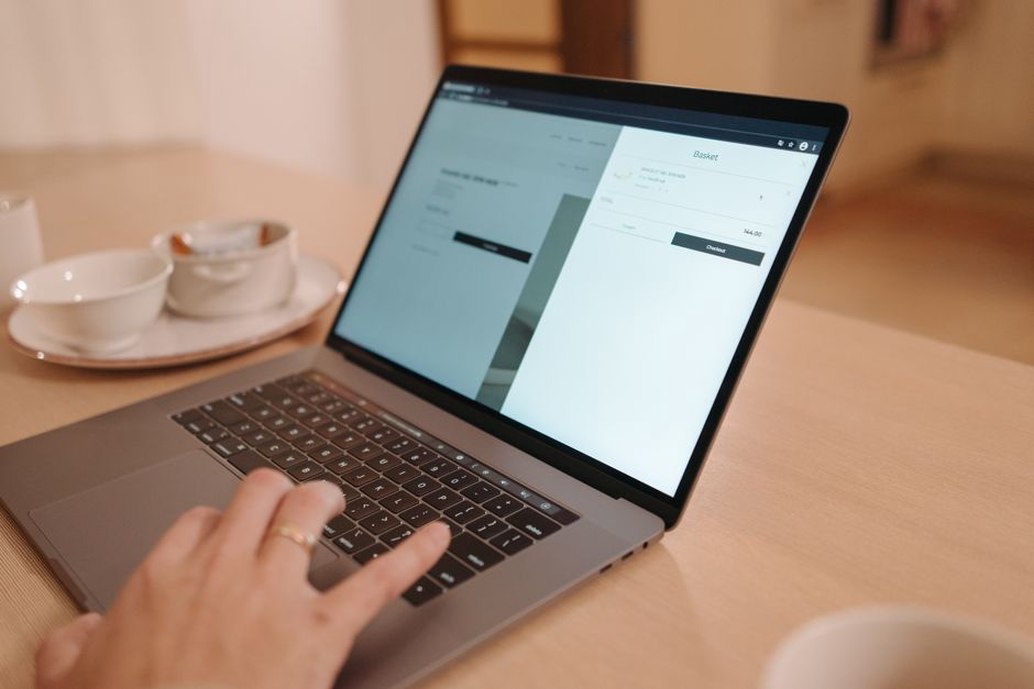
Contact details should be easy to find and use on a phone. Make email addresses readable and copyable, and format phone numbers clearly. Form labels should stay visible after a field is filled in; identify required fields in text, not color alone. Error messages should name the field and explain the fix. If submission fails, a visitor should not have to retype a long project description.
Test the entire enquiry path
- Open the page on a small screen and find the relevant contact route without relying on the main navigation.
- Complete the form using only a keyboard, including attachment and consent controls.
- Submit with a required field missing and check that the error is specific and visible.
- Send a valid test enquiry; confirm that the acknowledgement appears and the message reaches the monitored inbox.
- Check who owns the enquiry, how it is assigned, and what happens when that person is away.
Analytics may show that visitors reach the page or leave a form unfinished, but they will not explain why. The cause could be a technical failure, an unnecessary mandatory field, or a visitor deciding the practice is not relevant. Look at recurring questions in real enquiries, messages sent to the wrong team, and the details clients often need to clarify before anyone can give a useful reply. Review those patterns without keeping personal information longer than necessary.
Make the handoff a routine check, not a one-time launch task. Once a month, send a test message through each published form route. Confirm that it reaches the intended inbox, triggers the acknowledgement described on the page, and has someone assigned to respond. That is a practical way to catch a broken route before a prospective client has to point it out.