
A revised mechanical drawing can change a ceiling height, a procurement order and the work of three subcontractors. If those teams use different revisions, the conflict may not appear until installation. Construction management technology helps when it makes the chain of decisions clear: which drawing is current, who approved the change, what work it affects and whether the budget or schedule needs updating.
Digital tools do not replace judgment on site. They help managers collect evidence, coordinate teams and spot problems while there is still time to act. Clear responsibilities and dependable information matter more than the number of applications a project buys.
One source of information, with controlled access
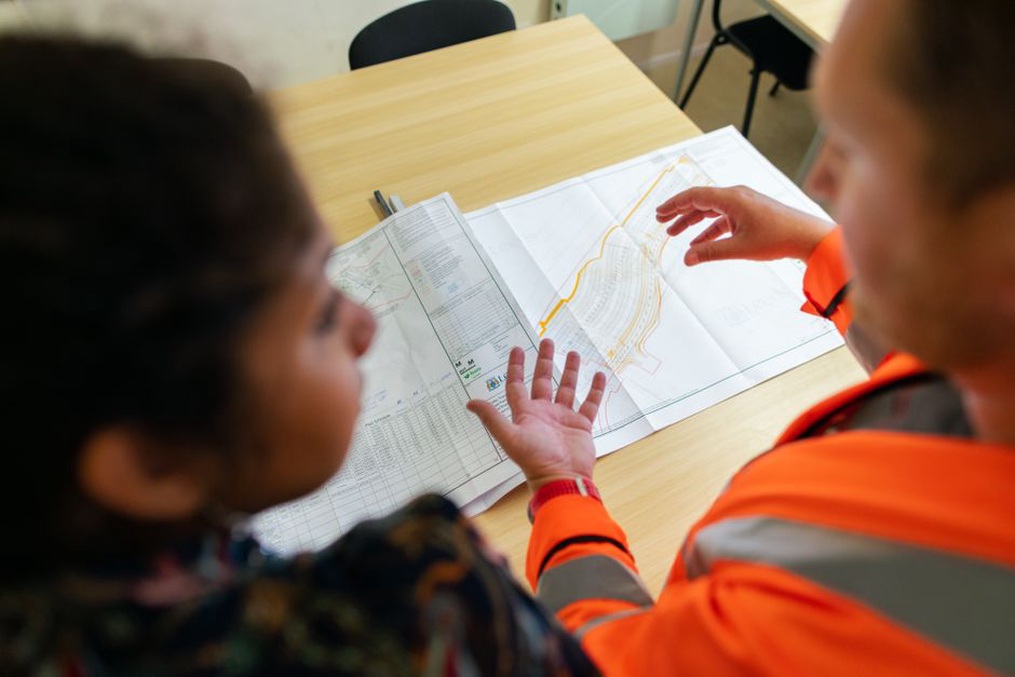
A common data environment is a managed location for drawings, specifications, models, requests for information (RFIs), submittals and correspondence. Rather than sorting through email attachments, teams can use document numbers, revisions, approval states and access permissions. A site supervisor should be able to tell an issued-for-construction drawing from an unapproved design proposal without deciphering a file name.
Version control becomes critical when a change crosses disciplines. Revising a structural opening for a duct, for example, may call for an architect’s detail, an engineer’s approval and an updated contractor work plan. A digital workflow can record that sequence, but it cannot determine whether the opening is safe or compliant. The responsible professionals must review it, and the contract should state which digital records count as formal instructions.
Clients need access to relevant decisions and current reports, not every working file. Permissions can protect sensitive commercial information while retaining an auditable approval record.
Models and field data connect design to construction
Building information modeling as a coordination tool
Building information modeling (BIM) brings architectural, structural and building-services geometry together so teams can find conflicts before installation. Clash detection might show a pipe running through a beam or too little clearance around equipment. For the process to be useful, teams need to agree who owns each part of the model, how often it is updated, how much detail it must contain and who resolves the clashes it reveals.
A model is not necessarily a complete construction instruction. Connections, temporary works and installation tolerances may be missing. Before using it for quantity takeoffs or setting out, the manager needs to know which elements have been checked and which are still indicative. Connecting model objects to a schedule, sometimes called 4D planning, can help test construction sequences and access. Connecting them to cost data can show how a design change affects an estimate. Neither output is more dependable than the model and assumptions behind it.
Reality capture shows what has actually been built
Site photographs, drones and laser scans can document progress and compare installed work with the design. A scan taken before walls are closed can preserve the locations of services that will later be concealed. Repeat surveys on a large site can help identify deviations or measure completed quantities. But the date of capture, survey accuracy and coordinate alignment need to be recorded; without them, a visual comparison may look convincing and still be wrong.
Drone use also brings requirements for flight permissions, privacy and safe operation. Aerial views are useful for roofs, façades and site-wide progress. They cannot replace close inspection of connections, finishes or concealed work.
Schedules become more responsive, not self-correcting
Scheduling software shows how activities depend on one another. If air-handling equipment is delayed, a manager can assess the effect on plant-room installation, commissioning and handover rather than treating it as one late order. Mobile reports can bring field progress into the schedule, while dashboards can flag tasks with little remaining float.
Those updates need credible input. An activity marked “complete” may still need testing or inspection. Managers should set measurable completion criteria, separate planned dates from forecasts and record the reason for significant variances. Short-term plans must also reflect the constraints on site: approved drawings, materials, access, labor and predecessor work. Moving a bar on a screen does not clear any of them.
Predictive analytics can compare current patterns with past projects, but unfamiliar ground conditions or unusual procurement arrangements may make a prediction less useful. A forecast should identify a risk for the team to investigate, not promise a client a completion date.
Cost control depends on linking commitments to changes
Digital cost systems can report estimates, purchase orders, invoices and change requests in one structure. That lets a client distinguish the original budget from approved changes, contractual commitments and the forecast final cost. They are different figures, not variations of a single “spent” total.
Take a proposed change to an exterior finish. The material price is only part of the decision: the manager may also need to check lead time, fixing requirements, maintenance access and whether the substitution affects the façade approval. Before work proceeds, a change log should show who requested it, the priced scope, its schedule effect, the technical review and its approval status. That record is particularly important when public procurement or lender requirements call for a clear audit trail.
Automated quantity takeoffs can save time if the design information is consistent. They still need checks for omissions, waste allowances, measurement rules and elements left out of the model. Testing the automated quantities against a manual sample before purchasing is a practical safeguard.

Safety, quality and handover in the field
Mobile inspection forms can prompt teams to record the location, date, responsible party and a photograph for each defect or safety observation. A due date and verified closure make those records more useful than a folder of unclassified photos. Critical work needs a defined hold point. Waterproofing, for instance, should be inspected and accepted before it is covered.
Sensors can monitor temperature, humidity or equipment status. Readings taken during concrete curing or before moisture-sensitive finishes are installed may help determine when work can proceed. They still have to be assessed against the relevant specification; a failed device or poorly placed probe can give false confidence. Wearables and camera analytics raise privacy and labor concerns as well. Collection rules should say what is measured, who can see the data and how long it is kept.
Handover records work better when they are organized by asset rather than scattered by document type. An equipment identifier can connect commissioning results, warranties, operating manuals and maintenance requirements to the item a facilities team will service. Before handover, the client should check whether a maintainer can find the right information for a particular pump, valve or air-handling unit without asking the construction team.
Choosing tools around decisions
Too many disconnected applications can mean duplicate entry and conflicting records. Before buying another tool, project leaders should identify the decisions that repeatedly cause delays. They can then check whether the tool supports those decisions and exchanges data with existing systems. Record ownership, export formats, cybersecurity, offline access on site and training time deserve the same scrutiny as dashboard features.
- Set a baseline: establish the approved scope, budget, schedule and document register before tracking deviations.
- Assign authority: specify who can submit, review, approve and issue changes.
- Test a workflow: trace one drawing revision through design, site instruction and cost approval.
- Check the field experience: confirm that supervisors can retrieve current information where the work happens.
- Plan for exit: require usable exports of records and asset data at project close.
During the first month of a new system, audit five recently closed RFIs. Each should have a response and approval date, a linked drawing revision where needed, and a record of any cost or schedule effect. A missing link is easier to fix in the workflow now than to reconstruct during a handover dispute.