
A shared desk quickly becomes hard to use when one person’s unfinished work stays on the surface after their turn. The first step is to separate working space from storage. Both people need somewhere to keep projects in progress, but those projects do not have to remain on the desk. A labeled tray, drawer or portable project box lets the next person sit down and work without disturbing anything.
Start with the work that actually happens
Before buying organizers, list what each person does at the desk. A pair who alternate between video calls and paperwork need a different setup from a household where one person uses a laptop and the other draws or makes crafts. Note which tasks need a clear surface, which require connected equipment and which create noise or mess. If both people regularly need the desk at once, more storage will not resolve the overlap. They may need a second work position or an agreed schedule.
Measure the desktop, available wall space and clearance around the chair. Open doors, drawers and windows as you check the layout. A narrow cabinet is little help if its open drawer blocks the chair; a shelf elsewhere in the room may work better. Keep the route through the space clear, especially in a bedroom or living area others use.
Agree on what belongs where
Sort belongings into three groups before assigning shelves or drawers:
- Shared essentials: items both users reach for, such as a charger, printer paper or basic stationery.
- Personal working materials: files, notebooks and tools associated with one person’s tasks.
- Occasional or archival items: supplies and records that do not need to stay beside the desk.
Keep shared essentials within easy reach of both users. Give each person’s materials a separate, clearly defined spot instead of mixing them in one drawer. Occasional items can go farther from the desk as long as they remain accessible. What gets used most often should determine what stays closest.
Give the desktop a clear purpose
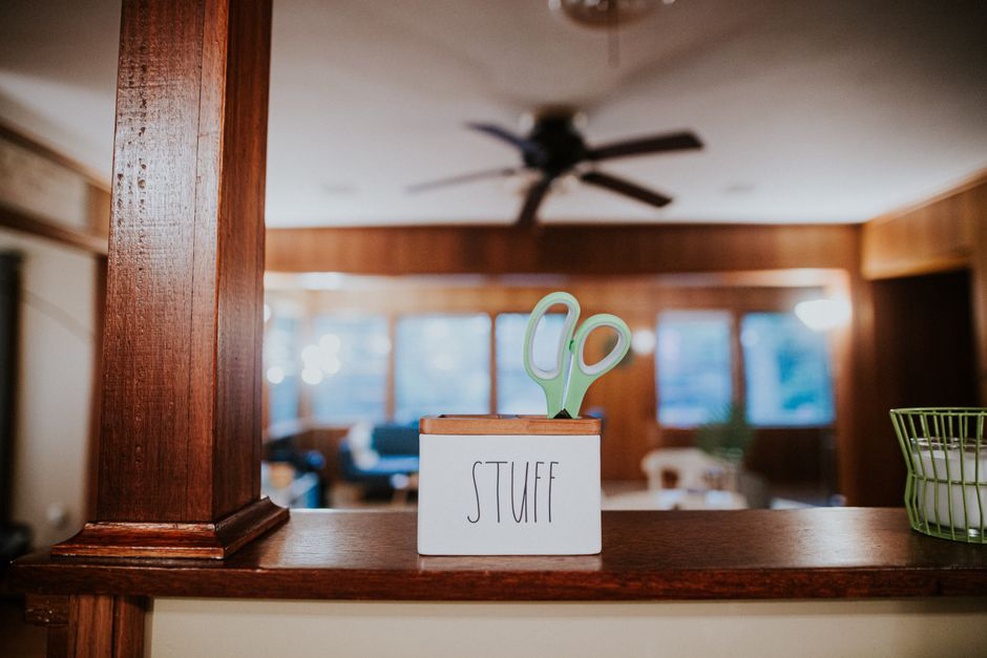
Keep only the equipment that needs to stay connected on the desktop—perhaps a monitor, keyboard and lamp. Other items need a home that is easy to reach without moving someone else’s belongings. One shared pen holder may be useful; several cups of duplicate supplies suggest the storage arrangement needs another look.
For people who take turns at the desk, a simple handover rule works better than an expectation of a spotless surface. The departing user might clear the central work area, put loose papers in their tray, remove food and return shared tools. Their project can remain in progress without occupying the next person’s workspace.
If someone needs a fixed setup for accessibility or specialized equipment, do not require them to take it apart each day. Give that equipment a permanent position and arrange the remaining space around it. Fair use does not require identical halves of the desk; it requires room for each person’s tasks and physical needs.
Make storage easy to use during a busy day
Putting something away should be easier than leaving it out. Place trays or drawers near where materials are used, and avoid stacks of containers that must be moved to reach the bottom one. Open trays suit active projects. Closed drawers contain small supplies and can reduce visual clutter when the room serves another purpose after work.
Label containers when their contents are hidden or ownership is unclear. “Shared cables,” “Maya’s current files” and “mail to sort” tell people where things go. “Miscellaneous” usually postpones the decision. If a container repeatedly overflows, check for obsolete items before deciding whether that category needs more space.
Give paper its own route. Separate active documents from reference material, records to retain and paper awaiting disposal. An inbox can catch new items, but decide who will process it and when; otherwise it becomes permanent storage. If visitors, children or other household members use the room, keep sensitive documents in a suitable closed location rather than an open tray. Handle disposal according to the information the papers contain.
Use vertical space without creating hazards
Shelves and wall-mounted organizers can free up a small desktop. Put frequently used supplies within comfortable reach and heavier items lower down. Check that fixings suit both the wall and the expected load; a lightweight fixing may not hold books or equipment. Nothing should be positioned where it could fall onto someone seated below. In a rented home, freestanding storage may be a better choice if wall alterations are not allowed.
Control cables and shared equipment
Loose cables make a desk harder to clean and slower to hand over. Identify each power lead before bundling it, then route cables away from chair wheels and foot traffic. Reusable ties or sleeves can gather extra length while allowing individual leads to be replaced. Leave enough slack for an adjustable desk or movable monitor so a change of position does not pull a cable tight.
Keep power strips accessible, not buried under paper or fabric. Follow the equipment manufacturer’s instructions and the strip’s rated load. Avoid running cords through doorways or under rugs, where damage may go unnoticed. If outlet locations do not suit the workspace, consider moving the desk or consulting a qualified electrician rather than relying on a permanent tangle of extension leads.
Give each shared device a designated place. A printer, scanner or docking station may be easier to use on a nearby cabinet than in the middle of the desk. Allow room for ventilation and for opening paper trays or covers. Store spare supplies nearby, but outside the space needed to operate the device. If users switch between computers, label identical adapters so handovers do not involve unplugging and testing several leads.
Account for calls, light and other household uses
Think about how one person’s work affects the other. If calls are common, choose a place where someone can speak without blocking access to files or equipment. Headphones help with listening, but spoken calls still carry. Agreed call windows or calendar entries can help when the workstation is near a dining table, sleeping area or another desk.
Position the screen to reduce glare from windows and lamps while leaving enough task light for paperwork. A movable lamp lets each user adjust the light without rearranging the room; keep its base and cord out of the main work area. If the desk doubles as a household table, plan the changeover. A portable box can hold an active project when the table is needed for meals, rather than leaving documents in an unstable stack.
In a multipurpose room, a shelf for work materials or a mat marking the equipment area can make the boundaries easier to follow. Keep walkways and access to shared furniture clear. A screen or divider may offer more privacy for calls, but check its footprint and stability before adding it to a tight room.
Set a maintenance routine that matches the space
Keep the daily reset short enough to do on a demanding workday. At the end of a session, return shared items, put personal work in its assigned spot, remove cups and clear the space the next person needs. With cables and supplies out of the way, the surface is easier to clean too.
Set another, less frequent time to review what has accumulated. Go through project trays, empty the paper inbox, check whether spare supplies are still needed and remove items that belong in other rooms. Keep records according to their purpose, not simply because the desk feels crowded. When the same category keeps landing on the desktop, its assigned spot may be too far away, too small or awkward to reach.
A short written agreement can settle recurring questions without turning the room into a rulebook: who gets the desk during overlapping hours, which equipment stays connected and what “ready for the next person” means. Revisit it when work patterns change. If someone starts taking regular morning calls, for example, moving the shared paper tray out of the call area lets the other person retrieve a file without stepping into camera view.