
A “Get started” button tells a prospective client very little. Can the practice assess a school extension, advise on a planning application, or take over construction-stage services? “Request a project feasibility discussion” gives the visitor a more useful next step without suggesting that a design proposal or approval will follow automatically.
Calls to action (CTAs) turn website information into a possible next step: contacting a project team, requesting a document, arranging a site visit, or checking whether a service fits a brief. The aim is not to put more buttons on every page. Each action should relate to the decision at hand, say what happens next, and ask for a reasonable level of commitment.
Start with the decision, not the button
Visitors arrive with different questions. An investor comparing sites may need to understand feasibility work before making contact. A facilities manager with an occupied building may have a defined refurbishment scope and need to reach the delivery team. Someone reading about school circulation may not have an active project at all.
Before writing a CTA, identify the page’s main audience and the decision its content can support. A service page can invite a discussion about that service. A completed-project page can suggest a conversation about a comparable approach, as long as the differences between projects remain clear. An article can point readers to relevant service information without treating everyone as a sales lead.
For each important page, note what the visitor is trying to establish, what evidence the page offers, and which action would help them move forward. If the evidence is thin, improve the page before making the button more prominent. “Request a proposal” cannot make up for an unexplained scope of work.
That matters particularly on architectural service pages. Visitors may need to understand deliverables, client responsibilities, and project stages before they enquire. Guidance on writing an architectural service page that answers client questions covers the information that should accompany that invitation.
Match the action to the visitor’s level of readiness
Every CTA asks something of the visitor: time, contact details, project information, or permission to begin a process. A larger request needs more context. “View the project stages” asks little; “Book a project consultation” asks more. The right choice depends on how far the visitor has got with their decision.
Early exploration
At this stage, someone may be testing whether an idea is technically or financially plausible. Let them learn without requiring a sales conversation: “See how feasibility studies work,” “Review our planning support scope,” or “Explore completed education projects.” Further information is often more useful than a contact form.
Active comparison
Visitors comparing practices or delivery routes may want to clarify experience, process, and responsibilities. “Discuss the scope of your refurbishment” or “Ask about construction-stage services” gives the enquiry a subject. Nearby text can suggest what to bring: a site address, existing drawings if available, a brief, or a target programme. Do not make those documents a condition of the first conversation unless they are genuinely needed.
Defined next steps
Once a project is sufficiently developed, a more specific request may fit: “Submit your project brief for review” or “Arrange a site assessment.” Explain whether the next step is a short conversation, a paid assessment, or a review before a meeting is offered. Avoid “Get a quote” if the team cannot responsibly price the work from the information collected. Architectural fees commonly depend on scope, project stage, procurement route, and the condition of existing information.

Use wording that describes a real outcome
Pair the action with its object. “Request a feasibility call” says more than “Connect.” If the destination is a document, “Download the accessibility checklist” is more accurate than “Learn more.” The label must also match what opens: a button promising a meeting should not lead to a generic contact page with no way to request a time.
Test each CTA against four questions:
- What happens when it is selected? Does the label describe the destination or immediate action?
- What is the subject? Name the service, project type, document, or decision when it helps the visitor choose.
- How much commitment does it imply? “Request” and “enquire” allow for review; “book” suggests a confirmed appointment.
- Is the claim defensible? Do not promise planning consent, a fixed construction cost, or a particular programme unless the conditions can genuinely be met.
A short line beneath the button can answer a question the label cannot. Under “Discuss your site,” for example: “Tell us the location, proposed use, and any known planning constraints; we will confirm whether the enquiry fits our services.” Publish a response time only if the practice can maintain it. Otherwise, explain how enquiries are reviewed.
Some words carry more weight than they appear to. “Free consultation” may suggest professional advice at no charge, when an introductory call only establishes whether the project is a fit. “Get approval” implies control over a decision made by a planning authority or building control body. Accurate wording protects the visitor’s expectations and the practice’s credibility.
Give each page a primary action
Four equally prominent choices—“Book a call,” “Download a guide,” “View projects,” and “Contact us”—leave visitors to work out the route for themselves. Choose a primary action that fits the page’s purpose, then give secondary routes less visual weight.
The same button need not appear everywhere. A homepage may guide different audiences toward services and project types before inviting an enquiry. A project page could lead with “Discuss a similar project,” with a quieter link to related work. A planning-support page could invite visitors to “Ask about planning-stage services” while keeping an explanation available for those not ready to make contact.
Place the first CTA after enough information to give it meaning. Near the top of a service page, a brief introduction may support a low-commitment action such as viewing the process. Asking for a brief usually makes more sense after explaining the scope, likely inputs, and what the practice can and cannot control. On a long page, repeat the primary action after a substantial section if useful—not after every paragraph.
Examples by page type
| Page | Likely visitor question | Possible primary CTA | Context to provide nearby |
|---|---|---|---|
| Feasibility service | Can this site or brief be assessed? | Discuss a feasibility study | What the study examines and what information is useful at the outset |
| Completed healthcare project | Has the team handled comparable constraints? | Enquire about a healthcare project | The team’s role and the limits of comparison with the visitor’s project |
| Available commercial property | Can I inspect the premises? | Request a viewing | Availability status, access arrangements, and how the request is confirmed |
| Technical blog article | Where can I explore the relevant service? | View planning-stage services | A brief explanation of why the service relates to the article |
These are starting points, not labels to copy indiscriminately. “Request a viewing” is unsuitable if the website cannot handle viewing requests. Nor should a project page imply that the same design outcome can be reproduced on another site. The action needs an operational process behind it.
Make the destination fulfill the promise
A CTA and the page, form, or document it opens are one interaction. If the label says “Send your project brief,” the destination should make clear where the brief goes and what happens to it. If it says “Arrange a call,” visitors should be able to request or choose a time rather than hunt through a general contact page.
Ask only for information needed now. An initial architecture enquiry might call for a name, contact method, project location, building type, approximate scope, and short description. A detailed construction budget, full drawing set, or several attachments may be useful later but deter a suitable first enquiry. If an upload is required, specify accepted file types, size limits, and whether sensitive documents should go through another channel.
After submission, confirm what happens next: “Your enquiry has been received. The team will review the project type and location before replying.” Mention an email confirmation only if the system sends one. Privacy information should explain how submitted details are handled; “fully secure” is no substitute for that explanation.
Check failed submissions too. An invalid email address needs a specific message beside the field. A failed upload should not erase the rest of the form. If a viewing request asks for a preferred date, make clear that it is a request, not a confirmed appointment.
Make CTAs accessible and easy to recognize
A CTA should work with a keyboard, screen reader, touch device, or magnified display. Use a link to take visitors to another page or file, and a button for an action on the current page, such as submitting a form. Visible labels should be clear; accessible names should still make sense when controls are read without the surrounding page.
Do not use color as the only cue for the primary action. Keep text readable against its background, show a visible keyboard focus indicator, and make touch targets large enough to select without repeatedly hitting a neighboring control. A CTA placed over a detailed project photograph may become difficult to read when the image crops differently on another screen.
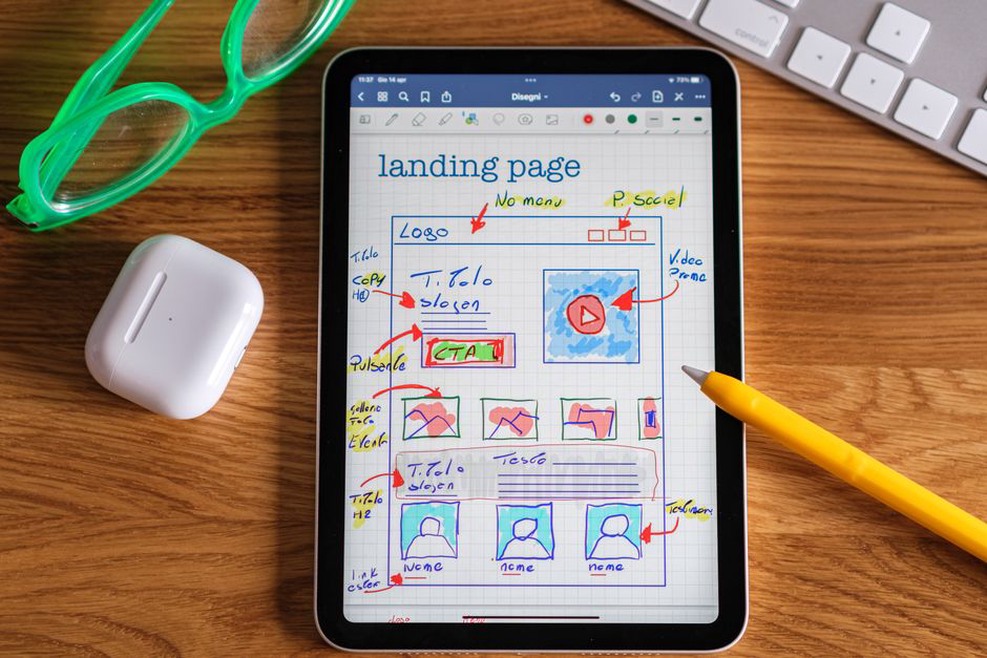
Check mobile placement separately. A sticky contact control can keep an action in reach, but it must not cover drawings, consent notices, form fields, or device navigation. Test the whole route on a narrow screen, including the confirmation. A CTA prominent in a desktop mock-up may end up below a long stack of project images on a phone.
Review performance without mistaking clicks for progress
Clicks show that people noticed an action, not that it helped them. Compare selections with completed steps. For enquiries, assess whether submissions contain enough relevant information to evaluate a project and reach the right team. For viewing requests, check whether they lead to workable appointments rather than accidental or duplicate submissions.
Read the numbers in context. A specialist healthcare page may receive fewer enquiries than a homepage but bring in more relevant briefs. A high click rate followed by form abandonment can signal a gap between the button’s promise and the form’s demands. A low rate might point to wording, placement, missing information, or visitors who are still researching.
Where possible, change one meaningful element at a time: the label, supporting explanation, placement, or form length. Record when and why it changed, then review results over a period that reflects the site’s usual traffic. On a low-traffic page, a few clicks can distort percentages. Reading the actual enquiries and asking staff what callers expected may tell you more.
Keep actions aligned with the work the team can deliver
Services, property availability, staffing, and approval routes change. A CTA can become inaccurate while the page around it still looks polished. Assign each important action an owner who can check its destination, contact route, and promise. Review CTAs after a redesign, service change, or revision to the enquiry process.
For a practical audit, follow one route on a phone: open a service page, read the CTA without relying on the rest of the page, select it, complete the form, and check what both the visitor and team receive. If “Request a refurbishment scoping call” leads to a form with only a name and message field, add a project-type or scope field—or change the label to reflect the enquiry the team can actually process.