
A property manager changes the entrance for contractor deliveries, but the building’s website and work orders still give the old directions. A crew arrives at the public entrance, misses its booked loading slot and delays a repair. Updating the address takes minutes; sorting out the disruption may take much longer. For architecture practices, developers and property owners, business information is an operational record that clients, authorities, contractors and building users rely on.
Which information needs to stay current?
Start with the details people use to reach the right organization or make a decision: legal and trading names, office and site addresses, phone numbers, email addresses, opening hours and named contacts. For a building or development, include its public project name, access arrangements, current status and the organization handling inquiries. An occupied building may need separate contacts for leasing, maintenance, deliveries and emergencies. One general inbox is rarely enough.
These records do different jobs. A website may give directions to the visitor entrance, while a permit file identifies the legal applicant and a contract names the entity responsible for payment. Details should match where they refer to the same fact, but they should not be reduced to one simplified listing. Changing a marketing name, for example, does not change the legal entity named on a permit or insurance policy.
The practical consequences of an outdated detail
Decisions made before a project begins
Clients and investors use published information to decide whether to make an inquiry. An old office address can derail a meeting; a disconnected number can prevent a prospective tenant from booking a viewing. A dated service description can also suggest that a practice works on a building type, in a jurisdiction or at a project stage it no longer handles. Accurate details help inquiries reach the appropriate team before anyone spends time preparing a proposal.
Coordination during design and construction
Projects produce multiple contact lists, drawings, specifications and approval documents. If a consultant’s replacement contact exists only in an email thread, a review request may go to someone who can no longer respond. If an early brief’s site address or parcel identifier is copied into later submissions, the team may have to reconcile conflicting documents. What happens next depends on the authority and contract, but resolving the discrepancy takes time.
Contact details are only part of the picture. A public project page should make clear whether a scheme is proposed or approved, and whether a construction update describes a building still in progress or one that is complete. Approval conditions, accessible routes and operating hours can change between design and occupation. A verified status update is more useful than an attractive rendering left online without explaining that it has been superseded.

Building operations and access
After handover, outdated instructions can disrupt deliveries and service visits or leave occupants unsure whom to contact. A new loading bay procedure belongs in contractor instructions, not just on a notice at reception. If maintenance responsibility passes to a new operator, residents need a working reporting channel. Emergency procedures require a separate, controlled review: public web copy is no substitute for the approved plans and instructions used by building staff.
In the United States, property owners and applicants can check relevant federal housing program information through the U.S. Department of Housing and Urban Development. That information provides program context; local authorities, project approvals and governing documents still determine the requirements for a particular building.
Build a record that people can maintain
Begin with an inventory rather than an instruction to “update everything.” List where each fact appears and who owns it. Check the main website, map listings, proposal templates, email signatures, tenant notices, contractor directories, project portals, permit submissions and emergency contact sheets. Restricted records, including contracts and staff phone numbers, need appropriate access controls—not automatic public publication.
A simple register can show where to check a fact and when to review it:
| Information | Authoritative record | Review trigger |
|---|---|---|
| Legal name and registered address | Corporate and contract records | Entity or address change |
| Public contact and opening hours | Approved operations directory | Staffing or schedule change |
| Site access instructions | Current site logistics or operations plan | Construction phase or entrance change |
| Project approval status | Decision notice and project register | Authority decision or amended approval |
An authoritative record is where a fact is verified before it is copied elsewhere; it need not be a single software platform. For a small practice, a controlled spreadsheet with an owner, date checked and link to the underlying decision may be enough. A large property portfolio may need an asset or document-management system. Either way, an old brochure should not become the source of truth simply because it is easy to find.
Set a change process rather than relying on memory
Assign a person or role to approve each type of change. Tie updates to events that already prompt a decision: a lease handover, new permit decision, office move, contractor appointment or change in building hours. A quarterly review can catch errors that have gone unnoticed, but a time-sensitive change needs updating when it takes effect.
- Verify the change. Check it against the contract, approval notice, operating plan or responsible manager, not just an unconfirmed message.
- Identify affected audiences. A revised delivery entrance affects suppliers and building staff; changed visiting hours also affect the public.
- Update controlled records first. Where an audit trail is needed, record the effective date, approver and previous value.
- Publish and notify. Correct the relevant public and internal channels, then tell teams that reuse the details in proposals, work orders or notices.
- Test the result. Call the published number, check the map pin and follow the visitor instructions as someone unfamiliar with the site would.
Keep historical material clearly dated when it has documentary value. An archived planning statement or design-stage drawing may help explain an earlier decision, but it should not look like current guidance. For a material correction, retain the previous version and the reason for the change so teams can answer later questions without quietly rewriting the record.
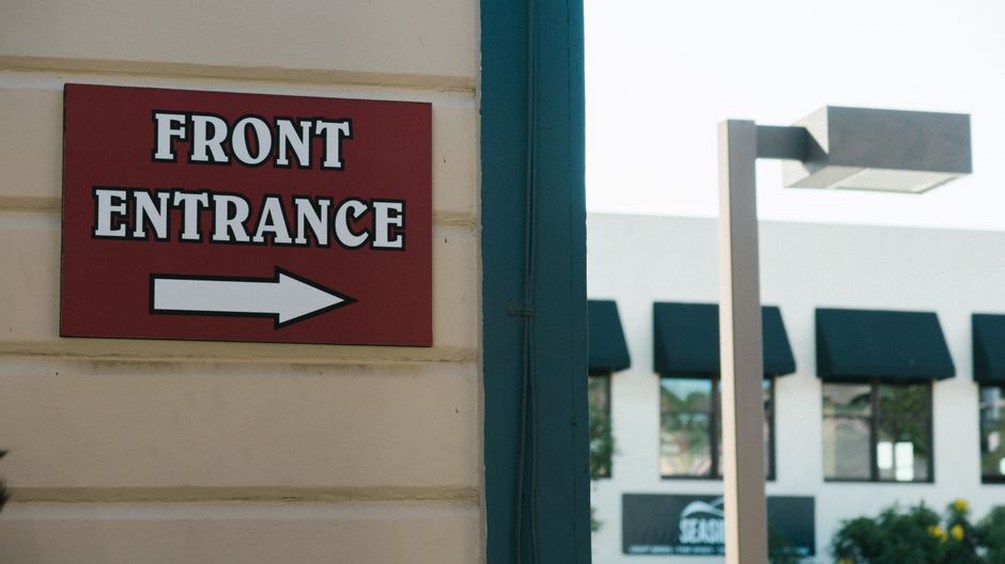
For a manageable first check, compare one property’s entrance directions across its website, map listing, visitor email and contractor instructions. If they disagree, confirm the approved route with the site manager, record when it takes effect and then replace the conflicting directions.